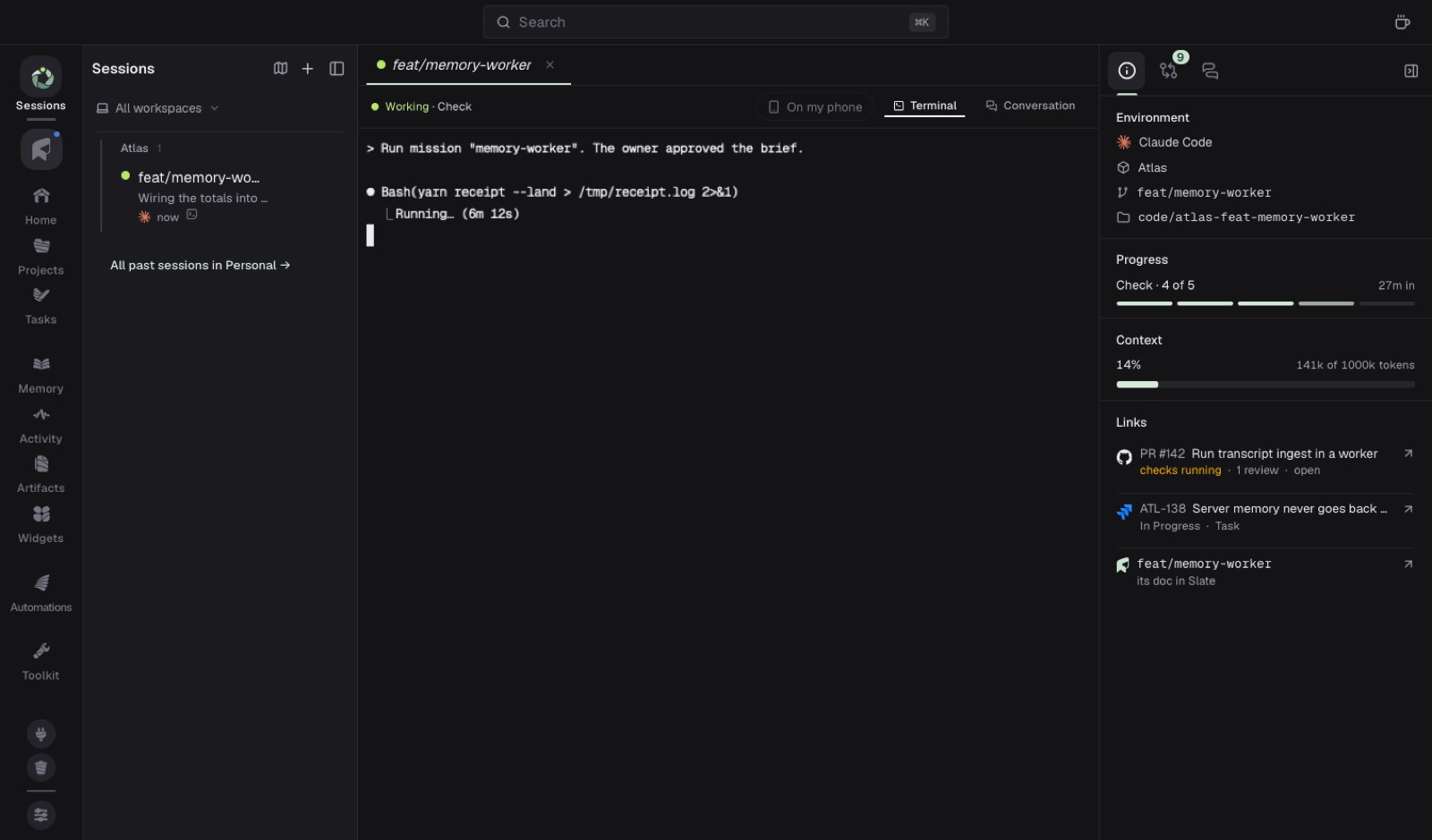
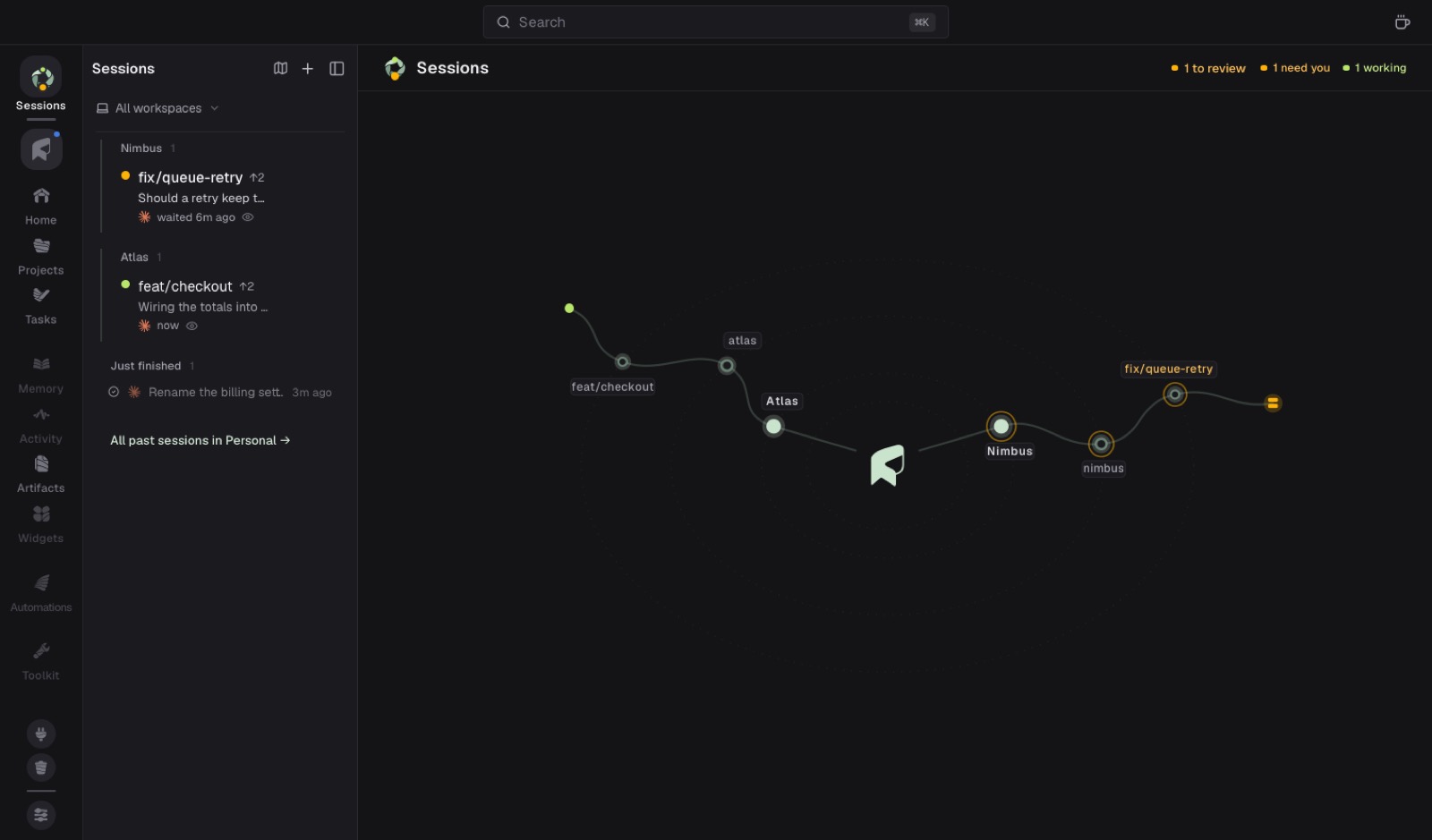
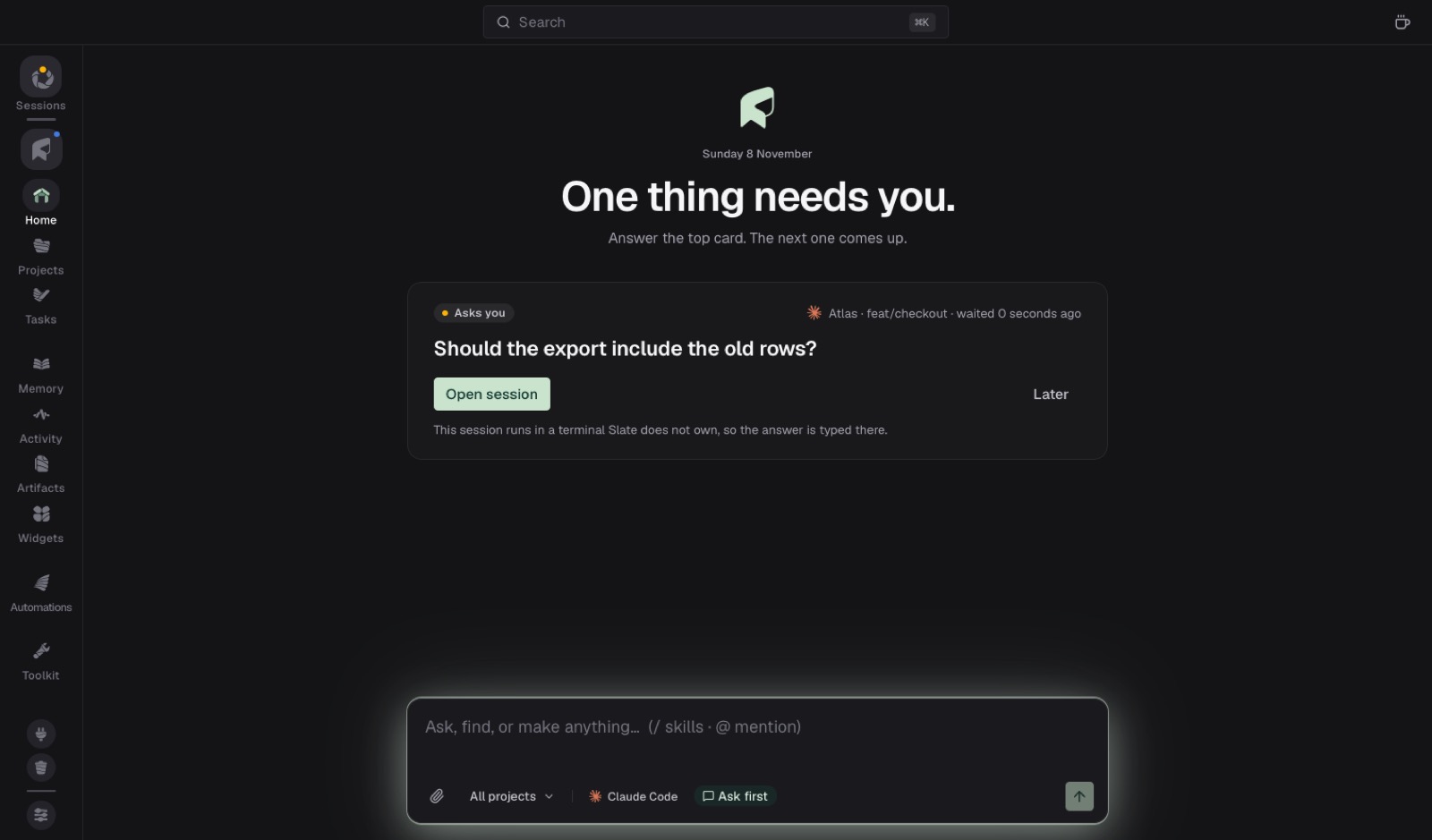
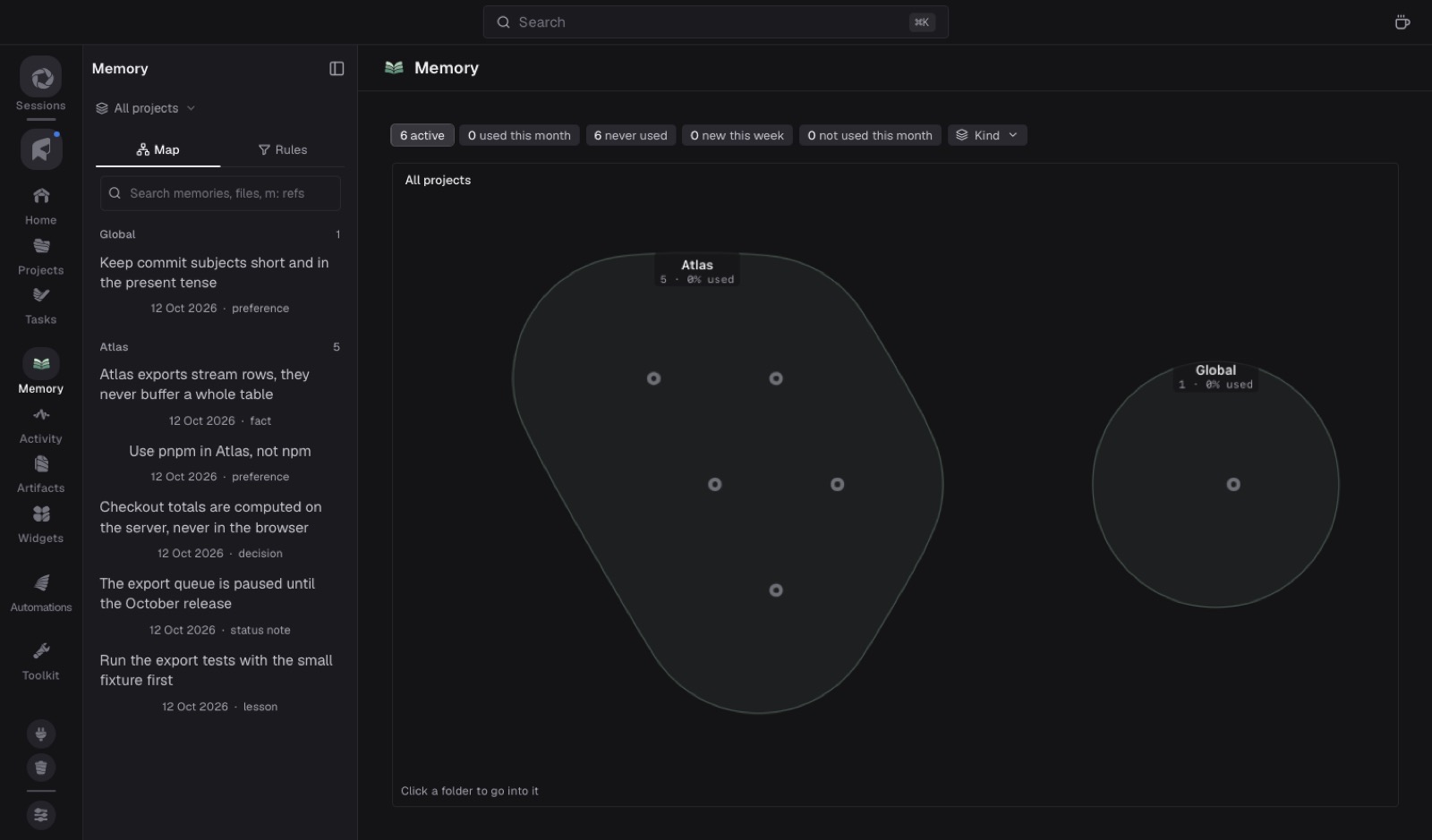
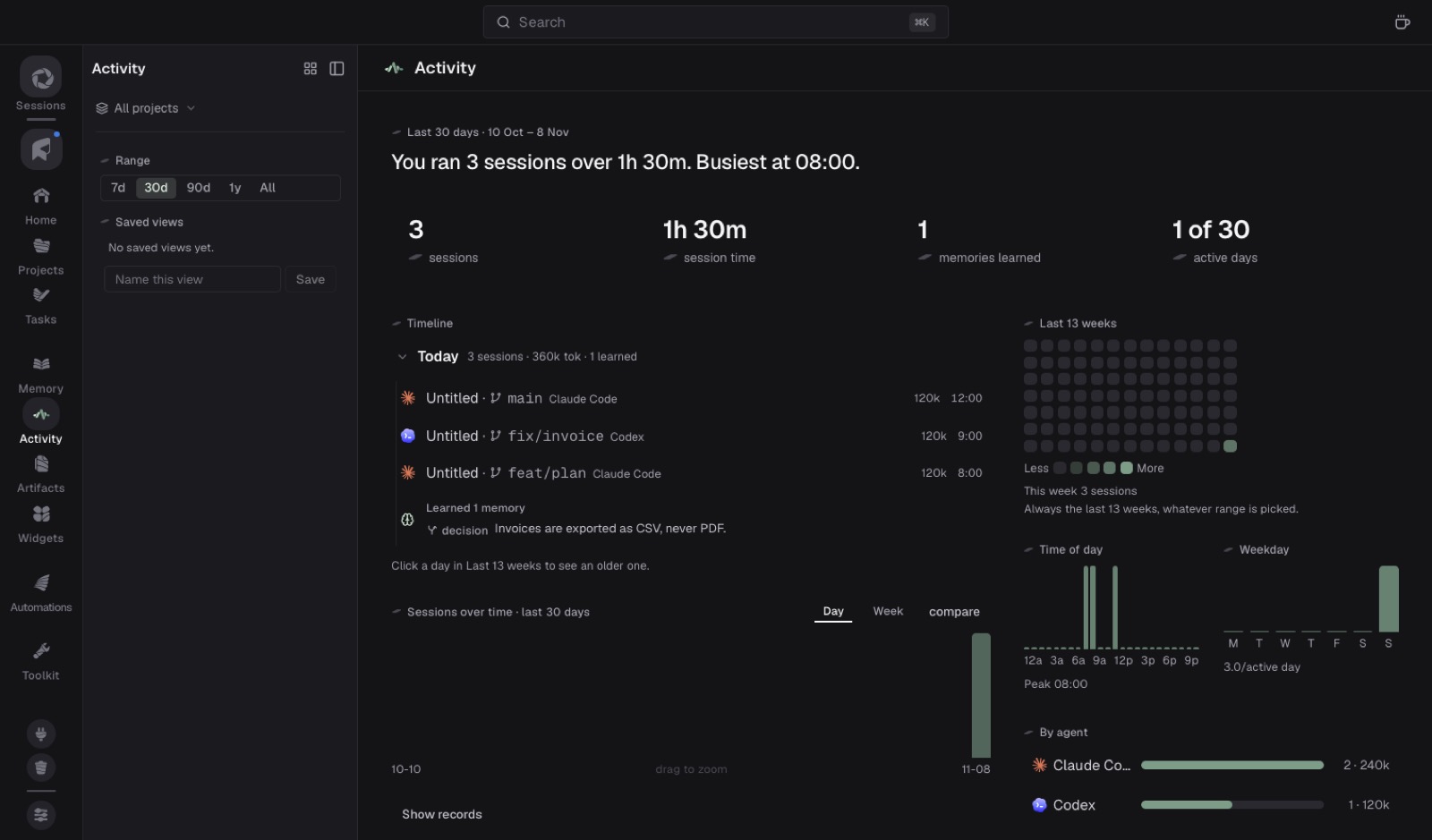
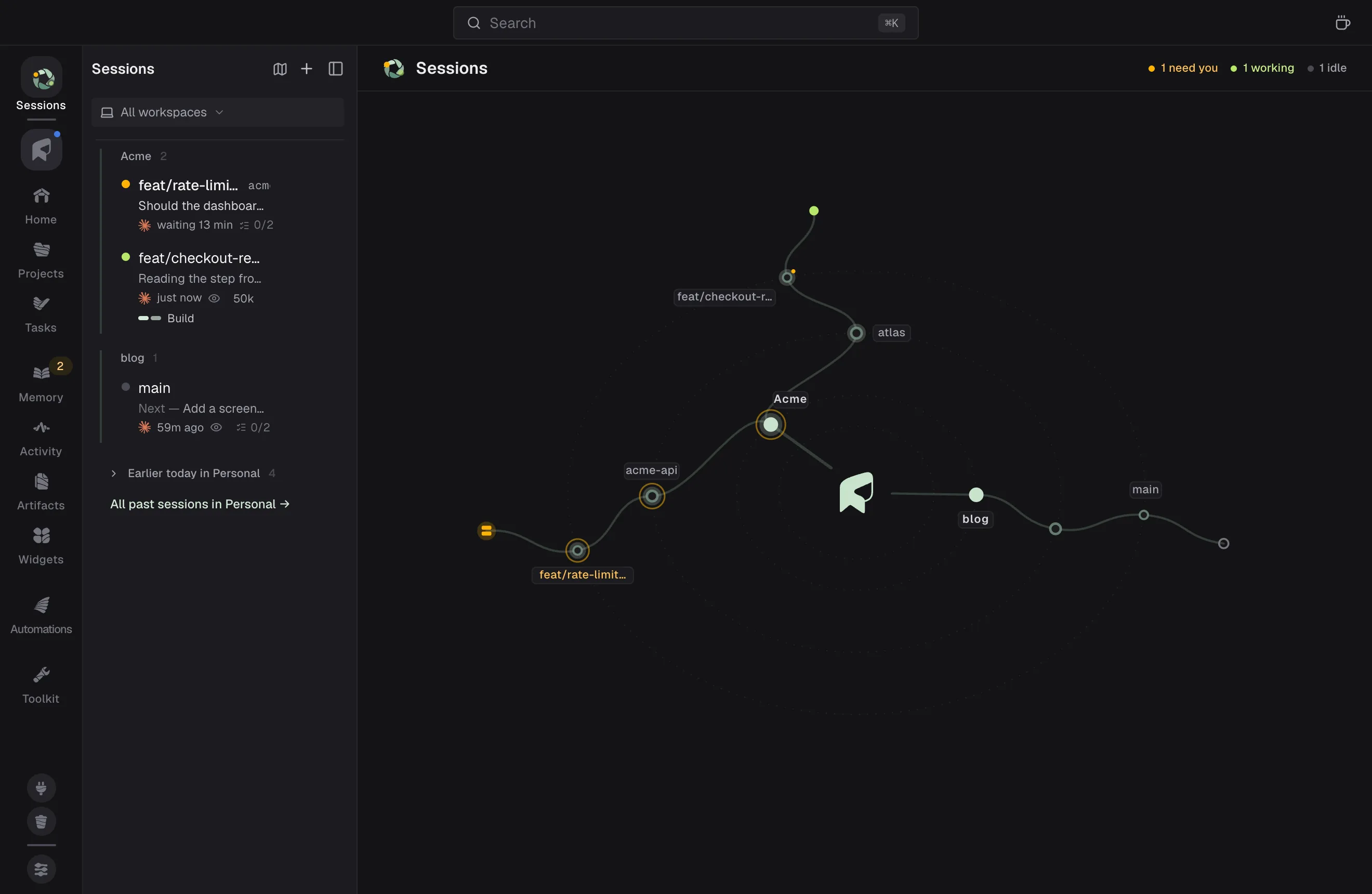
Sessions shows every AI session on your computer, by project and branch: who is working, who is waiting on you.
Inside the agent you already use
You don't open Slate to use its memory.
Slate is an MCP server. Each connected agent calls recall when it needs context and remember when it learns something. The memory comes to the terminal you already work in.
codex · ~/atlas · feat/checkout
> add the totals to the checkout page
⏺slate - recall(MCP)(query: "checkout setup")⎿ 1 memory · "Use pnpm in Atlas, not npm"
saved Monday, from a Claude Code session⏺ I'll follow that and add the totals.
16 agents, one memory.
Under your own sign-in. The first six are verified end to end; the ten newest are in Beta.
Claude Code
Codex
Cursor
GitHub Copilot
OpenCode
Gemini CLI
AntigravityBeta
ClineBeta
Grok BuildBeta
KiroBeta
Qwen CodeBeta
DroidBeta
Hermes AgentBeta
GooseBeta
Kilo CodeBeta
AuggieBeta
Your work stays on your Mac
No model downloaded
No API keys
Why Slate
Every agent starts from zero. Today, you are the memory.
It forgot yesterday
Each session starts blank. What Claude Code worked out on Tuesday, Cursor has never heard of on Wednesday — so you explain it again.
Many terminals, one of them waiting
Sessions run in different tools and folders. The one that stopped to ask you a question has been sitting there for twenty minutes.
The busywork never stops
Standups, reviews, the ticket you owe a reply. None of it happens unless you do it, and none of it is the work you sat down to do.
Slate fixes it the way your own memory works: it notices, remembers, recalls and acts — for every agent at once, on your computer, in files you own.
1
It notices everything
Every session from every agent is captured as it happens, from the transcripts the tools already write. Nothing to remember to do, nothing to paste.
2
It remembers what lasts
Decisions with their reasons, preferences, lessons, where each branch stands — each tied to the file it's about, and flagged when that code changes.
3
It hands it back on time
When any tool starts a task, the right memory is already there — whichever tool you open next. Not when you think to ask: when the work needs it.
4
It works while you're away
Automations run your standup, debrief each session and draft the reply you owe — on the agent you already pay for, inside rules you set.
Why "Slate"? A slate is the clapperboard that syncs separate cameras onto one timeline. Your agents are the cameras.
Sessions1 of 5
See every session — and who is waiting on you.
Slate reads the transcripts your agents already write, so every session on your computer shows up on its own, grouped by project and branch. Nothing to install in each tool.
Working, needs you, idle — at a glance, in the list and on the map.
Start a session here, in a new worktree, in the cloud, or pick it up on your phone.
Read what a branch changed and send review comments back to the session.
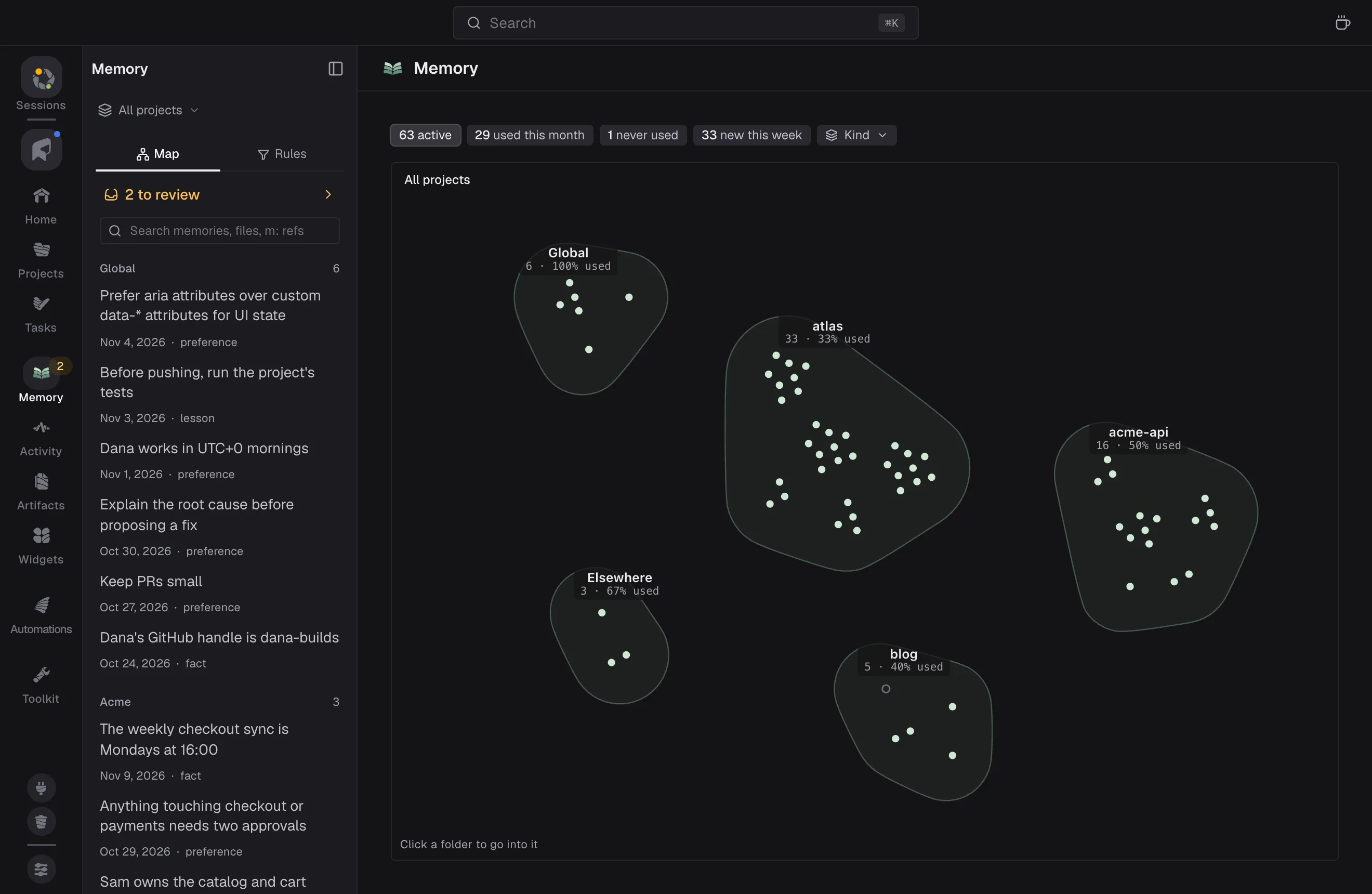
Slate is an MCP server. Your tools recall at the start of a task and remember at the end — decisions with their reasons, preferences, lessons — into the same workspace.
27 MCP tools every connected agent gains, against one workspace.
Memories cite the file they are about, and get flagged when that code changes.
A tidy's merges and retirements wait for you to review them.
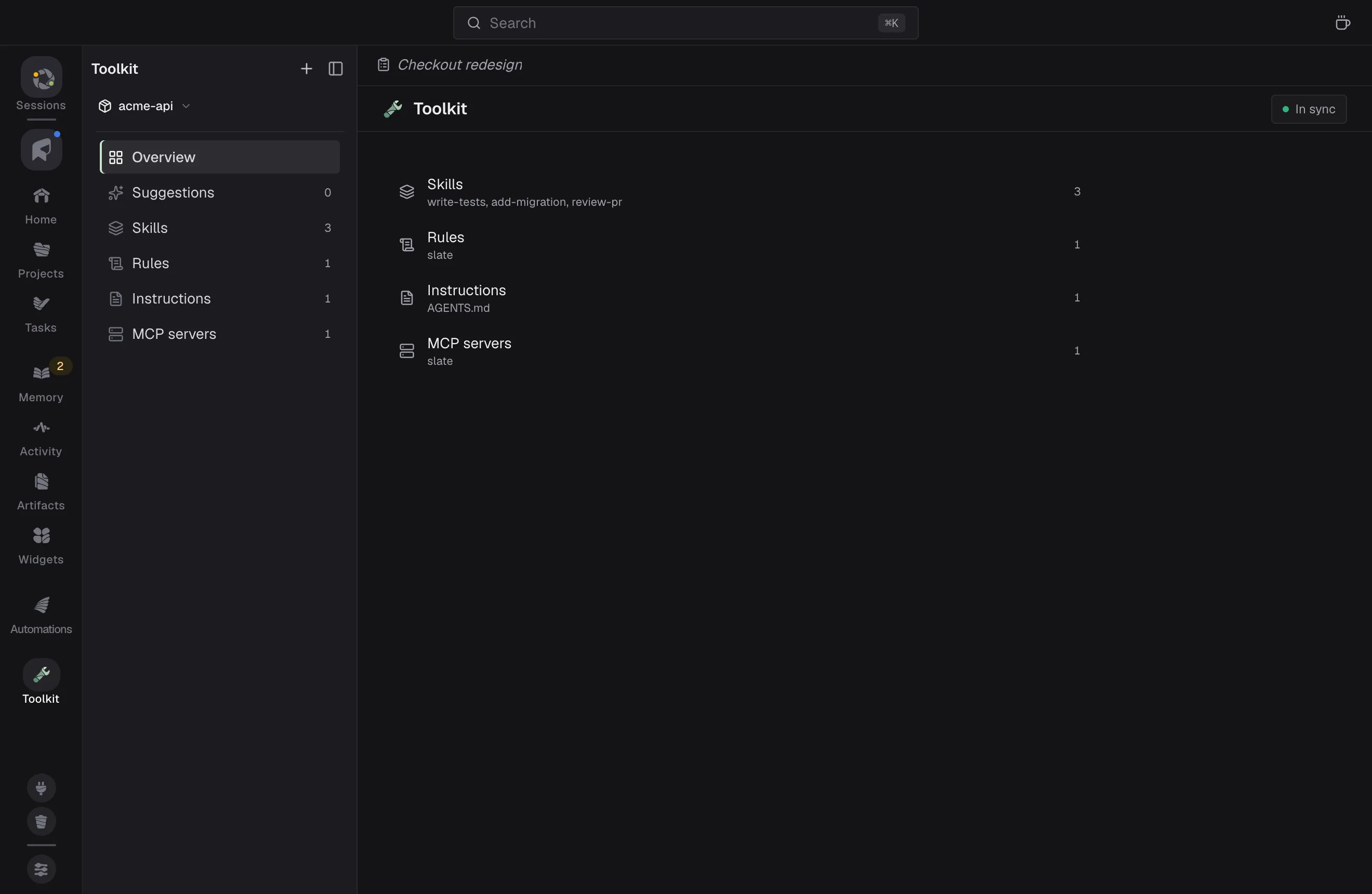
Every agent wants its instructions and skills in its own place and format. Toolkit keeps one copy — in AGENTS.md and .slate/ — and keeps every connected agent in sync with it.
Skills, commands, subagents, rules, MCP servers and hooks — one tab each.
See which tools a skill reaches, and whether each is in sync.
Commit and push setup changes without leaving Slate.
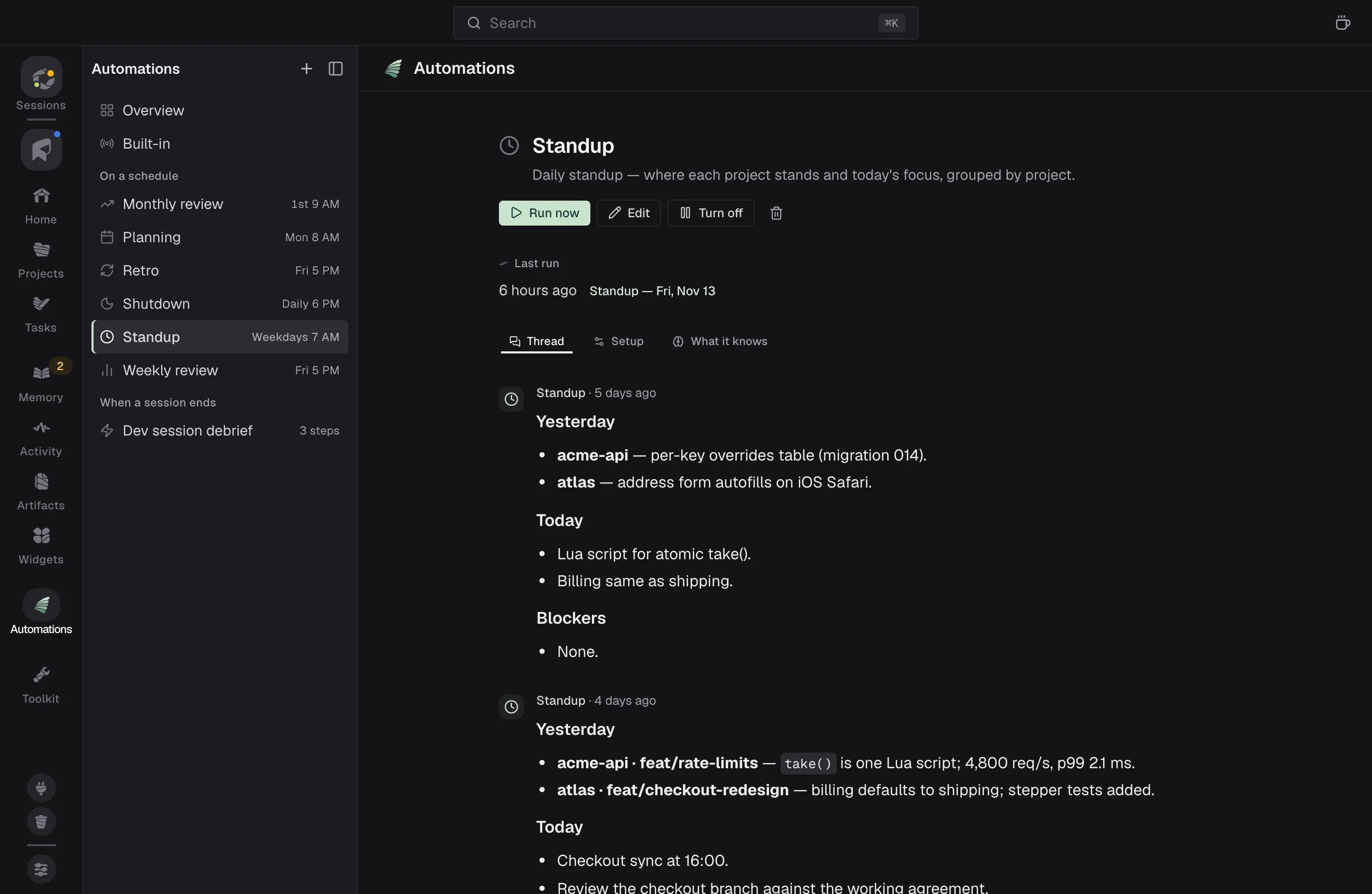
Automations that work while you don't — on everything you owe.
Tasks gathers what you owe — issues, reviews and replies from GitHub, Linear, Jira and Slack, beside your own to-dos. Automations work through it: a standup at 7:00, a debrief when a session ends, a plan for each new ticket, on the agent you already pay for.
Reading goes ahead. Writing asks you first. Merging and deleting are refused.
Run a task with AI: it plans, waits for your yes, builds, and waits again before it ships.
A held call waits as a card — Yes, do it runs it once.
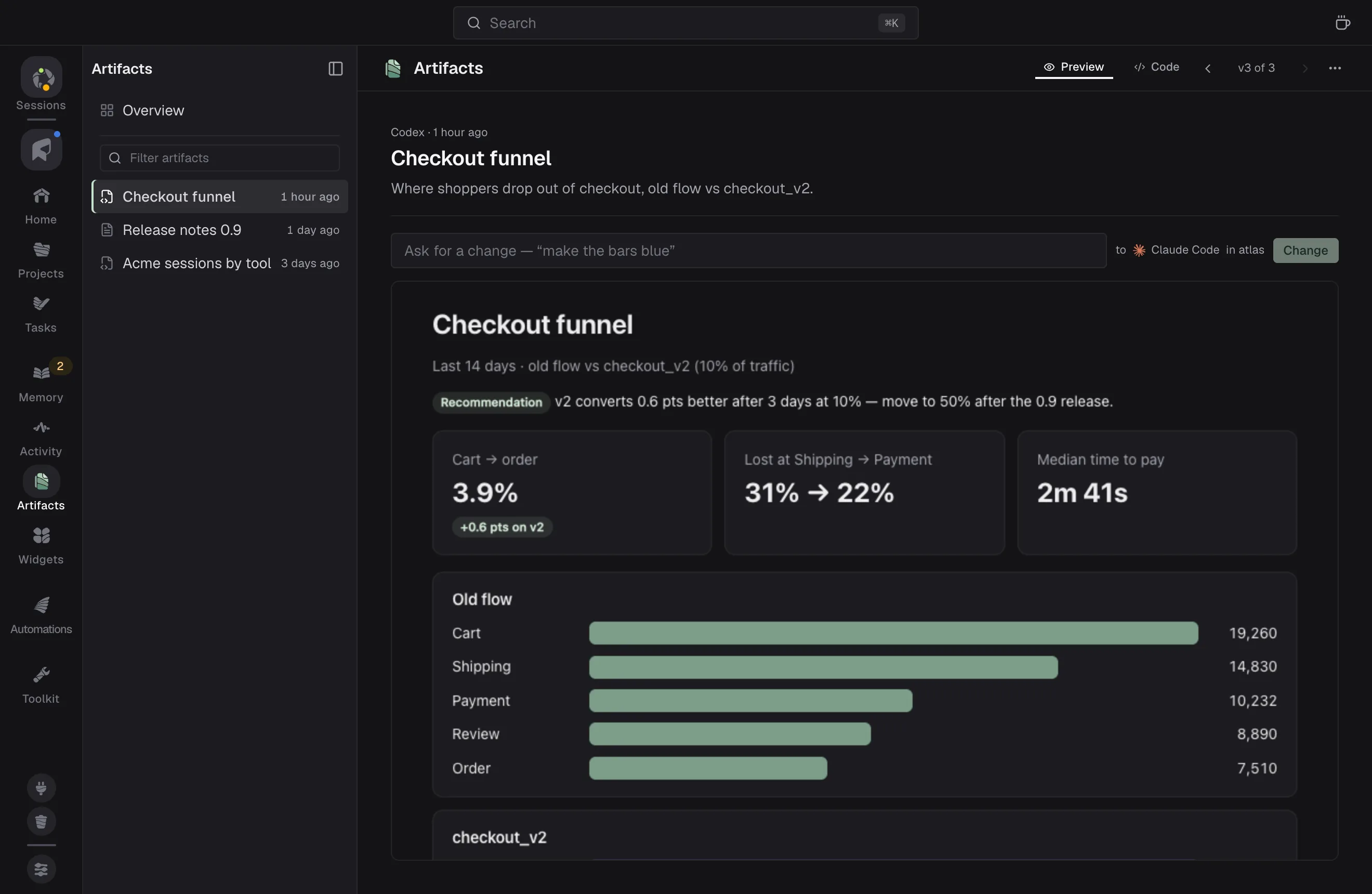
Ask for a dashboard, a report or a widget — and get one.
Any connected tool can publish a chart, a report or a page to Slate, and every change you ask for becomes a new version. Need more? Describe a small widget and watch your agent build it, beside the chat that made it.
Widgets read your workspace and have no internet — every release proves it.
Every action a widget takes is one you allowed, once.
Keep a widget in a git folder: each version is a commit.
Each place is useful on its own. Together they are the thing no single agent can be: one home that sees every session, remembers what each one learned, keeps every tool set up the same way, does the routine work and builds what you ask for. Around them sit Projects, Home, Activity, Connect and Trash.
Sessions every AI session on your computer
Memory what they learned, shared by all of them
Toolkit one set of skills for every agent
Automations & Tasks everything you owe, and the work done for you
Widgets & Artifacts dashboards, reports and widgets, built by asking
Your terminal
claude codeTuesday
>
⏺ remember(text: "SQLite over Postgres — local-first, it has to work offline", kind: "decision")
⎿ {"saved":true,"action":"add"}
the next day
cursorWednesday
>
⏺ recall(query: "database choice")
⎿ [{"ref":"m:7f3a2b1c","title":"decision","snippet":"SQLite over Postgres — local-first, it has to work offline"}]
Because you decided that on Tuesday — it has to work offline.
Slate · Memory
0 active
Nothing saved yet — memories appear here as sessions end.
What Slate learned lately — newest first.
decision
SQLite over Postgres — local-first, it has to work offline
Claude Code · m:7f3a2b1c ·
Two tools, two days, nothing pasted between them. The second one didn't remember — it asked Slate, the one thing the two of them share.
One command downloads Slate, checks it and opens it. About thirty seconds — no Homebrew, no Node, nothing to build.
2
Connect your tools
Sign in once with Google or GitHub. Then a 4-step setup you can skip — Welcome, Agents, Integrations, Project — connects the agents you use and opens on Sessions. Slate asks before it touches any tool's config.
3
Keep working
Use your tools as you always do. Sessions are captured, memory grows, and Home tells you what needs you.
Why Slate is different
Local by design.
Your work is SQLite files on your Mac. One file per workspace. Copy it, back it up, open it in any SQLite browser.
No model, no embeddings. Slate downloads no model and stores no embeddings. Recall is word statistics fitted on your own memories.
One memory for 16 agents. Served over MCP, so what one agent learns, the next one starts with.
Free for individuals. Team plans are coming. There is no licence key or trial to activate. What you have written stays yours either way: it lives in files on your computer.
What do I need?
A Mac — Apple Silicon or Intel — and at least one of the 16 AI coding CLIs Slate supports, such as Claude Code, Codex, Cursor or GitHub Copilot, already signed in. Linux and Windows are not in the latest release yet.
The Mac needs macOS 13.5 or later, on Apple Silicon or Intel; each has its own download. Linux and Windows are early builds. You also sign in to Slate once, with Google or GitHub.
Does Slate send my code or conversations anywhere?
No. Slate reads the transcripts your tools already write and keeps them on your computer. Your agent still talks to its own model under its own sign-in, as it always did. A workspace you choose to share is readable by its members. Personal is not shared unless you turn its sharing on. Every exception, precisely.
What does it change in my agents?
Nothing until you connect one. Connecting installs Slate into that tool: as a plugin where the tool takes one, such as Claude Code, Codex, Gemini and Cursor, and through its own config file otherwise, such as OpenCode. A config file Slate changes is copied aside first, and turning a tool off takes out what Slate put there.
Why a curl script and not a .dmg?
Slate is not notarized by Apple yet. macOS quarantines anything a browser downloads, and for an un-notarized app that becomes a "could not verify" dialog you can only clear in System Settings. curl sets no quarantine flag, so the app simply opens. The script is short and commented — read it first.
What does the installer verify?
The download against the release's SHASUMS256.txt — which catches a corrupted download, not a compromised host, since both come from the same place. Updates are stronger: each is signed, and Slate checks the signature against a key built into the app before installing.
# check a download yourself
shasum -a 256 -c SHASUMS256.txt
How do updates work?
Slate checks while it is open, downloads a new version in the background and installs it when you next quit. Nothing restarts on its own.
How do I remove it?
One command takes Slate out of every agent it was connected to and removes the app. Your workspace is kept unless you ask otherwise, and --dry-run shows every step first.
Yes, optionally. A shared workspace is a separate file that its members read; your Personal workspace stays private unless you share it. Each page has one author and opens read-only for everyone else. Team plans are coming.
One home for every AI coding tool you use.
One command. About thirty seconds. Sign in once. Your work never leaves your Mac.